By Muhammad Hamza, CTO·Sep 21, 2026

Autonomous ai agents are software systems that can observe a situation, decide what should happen next, use tools or data sources, and complete a task with limited human prompting. In plain English, they work through a sense-think-act loop: gather context, reason about options, then take an approved action.
That does not mean they are magic employees or risk-free automation. A good agentic system is more like a trained digital operator with defined permissions, connected tools, logs, escalation rules and measurable outcomes. It may draft a customer reply, check order status, update a CRM, open a support ticket, or ask a human for approval before issuing a refund.
For business leaders in the United States, the practical question is not whether autonomous ai agents sound impressive. The useful question is whether your process has enough repeatable structure, available data and business value to justify a more adaptive system than a workflow rule or chatbot. If it does, an experienced AI agent development partner can help you design the architecture, guardrails and integrations before the first model call is made.
This guide explains the architecture in plain English, including perception, reasoning, action, memory, tools, supervision and compliance. It also shows where agentic AI fits in real business operations and where simpler automation is still the smarter choice.
70%+
of executives in major surveys say generative AI is on their roadmap
20–40%
typical time savings reported for narrow workflow automation
24/7
availability when agents are safely connected to business systems
1–3
workflows to pilot before broader rollout

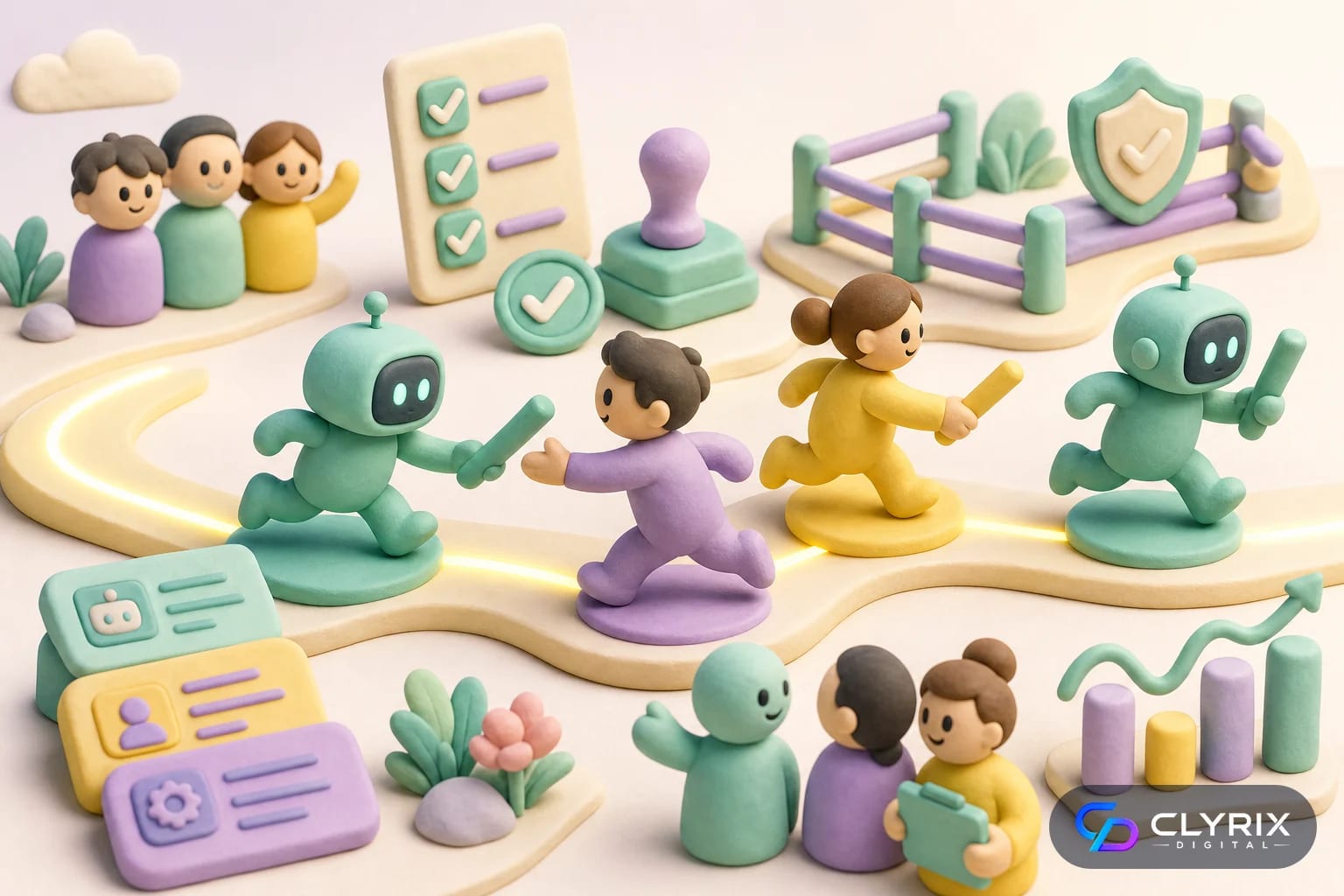
The simplest way to understand autonomous ai agents is to break them into three moves. First, the agent senses what is happening. Second, it thinks through what should happen next. Third, it acts through an approved channel. The loop repeats until the task is complete, blocked or escalated.
Perception is not just reading a prompt. In a business system, the agent may inspect CRM fields, search a knowledge base, read a PDF, check API responses, classify an email, interpret a support ticket, or summarize a call transcript. The quality of this context determines whether the next step is useful or risky.
Reasoning is the planning layer. A large language model may compare options, decide which tool to call, apply business rules, identify missing information or create a step-by-step plan. In production, this layer should be constrained by policies, test cases and system instructions rather than left open-ended.
Action is where value and risk both appear. The agent might update Salesforce, create a quote, send a message, schedule a meeting, query inventory, initiate a return, or generate a report. Because actions affect real systems, businesses need approval gates, permissions and rollback plans.
A practical agentic loop usually contains these elements:
This is also why agentic AI projects are rarely just prompt-writing projects. They are software architecture projects that combine models, integrations, data governance and operating controls.
Many businesses over-engineer agentic AI when a basic rule, script or workflow would work. The distinction comes down to variability, judgment and the number of systems involved.
| Need | Simple Automation | Autonomous Agent | Best Fit |
|---|---|---|---|
| Fixed approval routing | Excellent | Unnecessary | Workflow rule |
| Variable customer emails | Limited | Strong | Support agent |
| Invoice data extraction | Good | Good | Depends on exceptions |
| CRM research and updates | Limited | Strong | Sales ops agent |
| Password reset flow | Excellent | Unnecessary | IT automation |
| Policy-heavy case review | Weak | Useful with oversight | Compliance assistant |
If the task can be written as a short if-this-then-that flow, start with simple automation. If the task requires interpretation, retrieval and tool use, evaluate an agent.
The best early use cases are not science-fiction scenarios. They are everyday operational bottlenecks where employees spend hours collecting context, switching systems, drafting responses and checking rules. Agents help when the work is frequent enough to matter and varied enough that rigid automation breaks.
In our delivery experience, the strongest candidates usually have a human already following an informal checklist. For example, a sales coordinator qualifies inbound leads by checking company size, industry, geography, form notes, LinkedIn data and CRM history. An agent can collect that context, score the lead, draft a response and assign the right owner, while a human reviews edge cases.
Support is another common fit. An agent can classify tickets, retrieve policy details, check account status, propose a response and escalate sensitive issues. This differs from a basic chatbot because the agent can use tools and continue a multi-step task rather than only answer a question.
Operations teams can also benefit. Finance, HR, procurement and compliance processes often involve documents, approvals and back-and-forth communication. A carefully scoped agent can reduce queue time while keeping final authority with the accountable person.
Business use cases worth evaluating include:
For a deeper look at secure knowledge retrieval patterns, see Clyrix Digital’s guide to building a secure internal knowledge base AI chatbot.

A production agentic system has more parts than the chat window users see. At minimum, it needs an interface, a reasoning model, context retrieval, tool access, memory, policy controls, logging and monitoring. Skipping any of these creates reliability or governance problems later.
The model is the reasoning engine, but it should not be treated as the system of record. Business truth usually lives in your CRM, ERP, product database, help desk, data warehouse, document repository or custom application. The agent needs controlled access to those sources through APIs, retrieval systems and authorization rules.
Memory also needs careful design. Short-term memory helps the agent remember the current task. Long-term memory stores user preferences, account history or workflow outcomes. Not every use case needs long-term memory, and storing too much can increase privacy and security exposure.
Tool orchestration is where many projects succeed or fail. The agent should know which tools exist, when to use them, what data each tool needs, and what to do if a tool returns an error. This is traditional software engineering with AI in the middle, not a replacement for engineering discipline.
A reliable architecture normally includes:
When agents need to connect deeply with proprietary workflows, they often belong inside a broader custom software development effort rather than a standalone demo.
The same architecture can support very different business workflows. The table below shows how perception, reasoning and action translate into practical operations.
| Use Case | Sense | Think | Act |
|---|---|---|---|
| Lead routing | Form and CRM data | Score and assign | Create CRM task |
| Support triage | Ticket and account status | Classify urgency | Draft response |
| Invoice review | PDF and PO records | Find mismatch | Flag for approval |
| HR policy help | Employee question | Retrieve policy | Answer or escalate |
| E-commerce returns | Order and policy data | Check eligibility | Start return flow |
| SaaS onboarding | Usage events | Detect blocker | Send guidance |
The safest first pilots choose actions that are reversible, reviewable or low-risk before moving into higher-impact workflows.
The best agent builds start narrow. A vague goal such as “automate support” is too broad. A better pilot is “classify billing tickets, retrieve account context, draft a response and escalate refund requests above $250.” That level of definition makes testing, security and ROI measurement possible.
Before choosing tools, map the current human workflow. Identify the inputs, decisions, exceptions, systems touched and approval points. Many teams discover that their data is inconsistent or that the process itself needs cleanup before AI should touch it.
Once the workflow is clear, design the agent as a controlled system. Decide what it can read, what it can write, what it can never do, when it must ask for approval and how its outputs will be evaluated. This prevents the common mistake of giving a model broad access and trying to control risk later.
Choose one specific, high-volume process with clear inputs and measurable outcomes. Avoid starting with vague “general assistant” projects.
Document how humans currently decide what to do. Capture rules, edge cases, approval thresholds and examples of good and bad outcomes.
Give the agent the minimum data and API permissions needed for the task. Use role-based access and avoid broad system credentials.
Test the agent with representative scenarios, adversarial prompts and business edge cases. Repeat tests whenever prompts, tools or models change.
Start in draft, recommendation or approval-required mode. Expand autonomy only after results are stable and stakeholders trust the audit trail.
If the agent will manage customer-facing conversations, Clyrix Digital’s article on how to build an AI voice agent for customer support shows how the same design principles apply to voice workflows.
Guardrails are not optional. The more an agent can do, the more important it is to define what it cannot do. Business leaders should think in terms of operating controls, not just model safety settings.
Start with access control. The agent should use scoped credentials, not a shared admin login. It should only retrieve data relevant to the task, and sensitive information should be masked or excluded where possible. In US contexts, this is especially important for HIPAA-covered healthcare data, financial records, employee data and consumer privacy obligations under laws such as CCPA.
Next, define action limits. An agent may be allowed to draft a refund message but not issue the refund. It may update a lead status but not delete an account. It may summarize a contract but not approve legal terms. These boundaries should be implemented in code and workflow permissions, not only in a prompt.
Finally, keep humans in the loop for material decisions. AI can prepare, recommend and execute low-risk steps, but accountable employees should approve high-dollar, regulated, irreversible or reputationally sensitive actions. The Federal Trade Commission’s public guidance on AI and automated decision-making is a useful reminder that businesses remain responsible for claims, fairness and consumer impact; see the FTC for current regulatory context.
Strong guardrails include:
For healthcare workflows, review the related HIPAA-compliant AI chatbot checklist before connecting agents to patient data.
Not every agent needs the same control package. Match the guardrails to the potential business impact of a wrong action.
| Risk Level | Example | Required Control | Launch Mode |
|---|---|---|---|
| Low | Draft internal summary | Basic logging | Direct use |
| Medium | Update CRM fields | Permission limits | Monitored rollout |
| High | Issue customer refund | Human approval | Approval required |
| Regulated | Handle PHI | Compliance review | Restricted pilot |
| Critical | Change pricing rules | Executive approval | No autonomy |
When the cost of a mistake is high, the agent should recommend actions rather than execute them automatically.
Agentic AI is powerful, but it is not always the right tool. If a process is stable, deterministic and already well served by rules, a standard workflow engine will usually be cheaper, faster and easier to audit. Businesses should resist the urge to add autonomy where predictability is the main requirement.
Do not use an agent when the organization cannot define the desired outcome. AI will not fix unclear ownership, contradictory policies or broken data governance. It may simply automate confusion. Clean process design still comes first.
Avoid high-risk autonomy in areas where mistakes are irreversible or legally sensitive unless strong human approval and compliance controls are in place. This includes medical advice, credit decisions, hiring decisions, legal commitments, tax positions and safety-critical operations.
Also be cautious when volume is low. If a task happens ten times a month, a custom autonomous system may not justify its build and maintenance cost. In those cases, a checklist, template, workflow automation or lightweight internal tool may deliver better ROI.
Choose simple automation instead when:
For teams comparing budget and scope, the related guide to AI agent development cost in 2026 explains typical cost drivers without duplicating the architecture focus of this article.
ROI measurement should start before development. Pick two or three baseline metrics from the current process, then compare agent-assisted performance after launch. Useful metrics include handle time, backlog size, first-response time, completion rate, error rate, escalation rate, customer satisfaction and cost per task.
Do not measure only labor hours. Good agents often create value by improving consistency, reducing missed follow-ups, shortening sales cycles or giving managers better operational visibility. Those benefits may be more valuable than raw time savings.
Costs should include more than model usage. Budget for discovery, data cleanup, integration, security review, testing, monitoring, user training and ongoing optimization. Model costs are often a visible line item, but engineering and change management usually determine long-term success.
A sensible pilot target is a measurable workflow improvement within 60 to 90 days after launch. That could mean cutting ticket triage time by 30%, reducing manual CRM research by several hours per rep per week, or improving invoice exception routing accuracy. Keep the target specific and tied to a business owner.
Track these metrics during a pilot:
If your agent depends on customer-facing web experiences or complex dashboards, ensure the surrounding product is fast, accessible and maintainable through solid web application development practices.
Autonomous ai agents are best understood as controlled software systems that combine perception, reasoning and action. They are most valuable when a business process has enough variation to need judgment, enough repetition to justify investment and enough guardrails to operate safely.
Start small, measure honestly and expand only when the agent proves it can complete work reliably. If you are evaluating an agentic AI pilot, Clyrix Digital can help translate a business workflow into a secure architecture with the right data access, tool integrations, approval gates and monitoring from day one.
For broader AI governance context, review official resources from NIST and your industry regulator before deploying high-impact automation.
Autonomous AI agents are software systems that can gather context, decide what to do next and use tools to complete a task. Unlike a basic chatbot, an agent may search data, call APIs, update records or escalate issues. The best business agents operate inside clear permissions and approval rules.
A chatbot usually answers questions in a conversation. An autonomous agent can manage a multi-step workflow, such as checking account data, retrieving policy details, drafting a response and updating a ticket. Some chatbots include agentic features, but true agents need tool access, memory, orchestration and monitoring.
They can be safe when built with scoped permissions, audit logs, human approvals, data controls and fallback paths. They are risky when given broad access to sensitive systems without supervision. Start with low-risk tasks, monitor performance and require approval for financial, legal, medical or customer-impacting actions.
Good candidates include support triage, lead qualification, CRM updates, invoice review, internal knowledge assistance, onboarding guidance and compliance evidence collection. The task should be frequent, multi-step and somewhat variable. If the work follows a fixed rule every time, simple automation is usually better.
In most practical business deployments, agents assist employees rather than replace whole roles. They collect context, draft outputs, update systems and handle repetitive steps so people can focus on judgment, relationships and exceptions. Human oversight remains important for sensitive decisions and accountability.
Give the agent the minimum control needed for the workflow. Read-only access is best for early pilots. Allow limited write actions only after testing, and require human approval for high-impact steps such as refunds, contract changes, account closures or regulated decisions. Autonomy should increase gradually based on evidence.


Sep 22, 2026
Facial recognition privacy rules in 2026 explained: BIPA, CCPA, EU AI Act, consent, retention, safer alternatives and a practical implementation checklist.
By Muhammad Hamza · CTO

Your trusted partner in innovative web solutions, delivering tailored development, design, and marketing services to elevate your digital presence and business growth.
info@clyrixdigital.com
© 2026 Clyrix Digital. All rights reserved.